
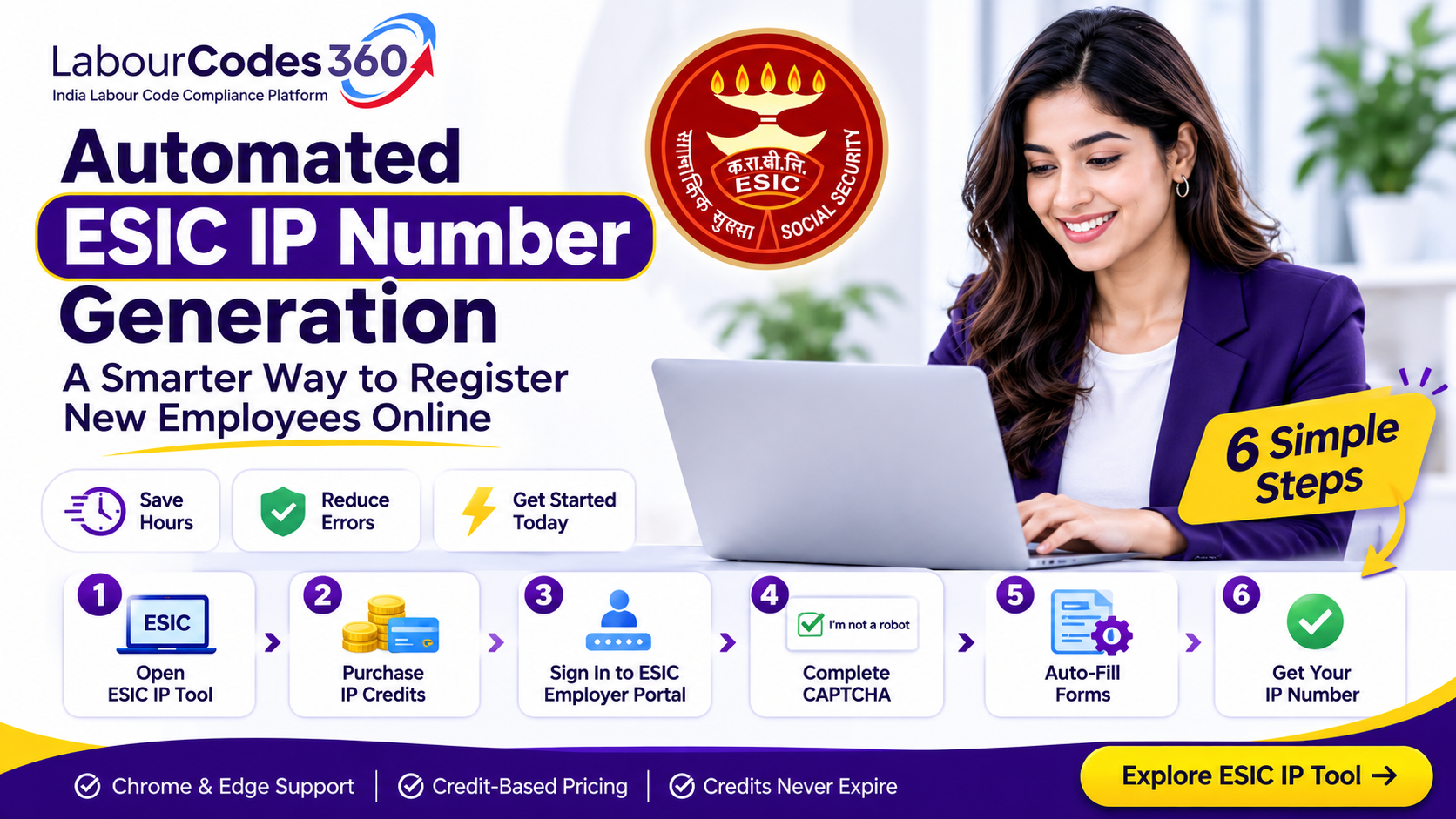
Automated ESIC IP Number Generation: A Smarter Way to Register New Employees Online
Are your HR and payroll teams still spending hours manually registering new employees on the ESIC employer portal, entering employee information repeatedly, and correcting registration errors?
Employee onboarding involves several administrative responsibilities, and ESIC registration is an important part of the process for establishments covered under the Employees' State Insurance (ESI) Scheme.
Manually completing employee registration forms can become time-consuming, particularly for organisations hiring multiple employees every month. Repeated data entry, CAPTCHA verification, form navigation and correction-related work can add to the workload of HR and payroll teams.
Introducing the Automated ESIC IP Number Generation Tool by LabourCodes360 – a browser-based assistant designed to help HR and compliance professionals streamline new employee registration on the ESIC portal.
With a guided six-step workflow, automatic form filling assistance and a credit-based pricing model, LabourCodes360 helps reduce repetitive manual work and makes ESIC IP number generation more convenient.
Explore the tool: https://labourcodes360.com/esic-ip
What Is an ESIC IP Number?
An ESIC IP Number, also known as an Insurance Number or Insured Person Number, is a unique identification number allotted to an employee registered under the Employees' State Insurance Scheme.
It helps identify the insured employee within the ESIC system and is used for accessing applicable ESI benefits.
An important point for employers is that an ESIC Insurance Number is generally unique to the individual and remains valid throughout the employee's lifetime, even when the employee changes employers.
Therefore, before registering a new employee, HR teams should check whether the individual has already been allotted an ESIC Insurance Number.
If the employee already has an Insurance Number, the existing number should be used rather than generating a duplicate registration.
Why Is Manual ESIC Employee Registration Time-Consuming?
For HR departments managing frequent employee onboarding, ESIC registration can become a repetitive administrative activity.
Some common challenges include:
- 1. Repetitive data entry – HR professionals need to enter employee details into the relevant registration fields. Repeating this process for multiple new joiners consumes valuable working hours.
- 2. Manual form navigation – Navigating different sections of the employer portal and completing the required information can make the process lengthy.
- 3. CAPTCHA verification – CAPTCHA verification requires manual attention during the registration workflow, interrupting an otherwise repetitive process.
- 4. Data entry and correction errors – Incorrect or inconsistent information can lead to errors that require verification, correction or resubmission.
- 5. High-volume employee onboarding – Organisations hiring employees in batches may have to process several registrations within a short period, increasing the administrative burden on HR and payroll teams.
- 6. Limited HR bandwidth – Time spent on repetitive portal activities could otherwise be allocated to employee onboarding, payroll coordination, documentation and compliance monitoring.
This is where automation assistance can make a practical difference.
Introducing LabourCodes360's Automated ESIC IP Number Generation Tool
LabourCodes360 offers an automated ESIC IP Number Generation assistant designed to simplify the process of registering new employees through the ESIC employer portal.
Instead of manually filling every registration field, HR professionals can use the Chrome or Microsoft Edge browser assistant to help complete the registration workflow.
The tool follows a guided process in which users purchase IP credits, sign in to the ESIC employer portal, complete CAPTCHA verification themselves and allow the assistant to auto-fill the registration forms.
Once the IP Number is successfully generated, it is returned to the LabourCodes360 dashboard.
- Chrome and Microsoft Edge browser assistant compatibility.
- Guided six-step registration workflow.
- Automated assistance for filling registration forms.
- Manual CAPTCHA completion by the user.
- Return of successfully generated IP Numbers to the LabourCodes360 dashboard.
- Credit-based usage, with charges applied only when an IP Number is actually generated.
- Credits that never expire.
The tool is designed to reduce repetitive data entry and simplify the registration experience. Users remain responsible for checking employee information and completing the required portal authentication.
How Does the ESIC IP Number Generation Tool Work? Follow These 6 Simple Steps
Getting started with LabourCodes360 is straightforward. The tool follows six steps to help HR teams complete the registration workflow.
Open the ESIC IP Tool
Visit the LabourCodes360 ESIC IP Number Generation page and open the tool.
Purchase IP Credits
Purchase the required IP credits according to your subscription plan. The platform follows a credit-based model.
Sign In to the ESIC Employer Portal
Log in to your ESIC employer account through the official ESIC portal. Ensure you have the required credentials.
Complete CAPTCHA Yourself
During the registration process, complete the CAPTCHA verification manually. This step remains user-controlled.
Let the Browser Assistant Auto-Fill
Once authentication is completed, the LabourCodes360 assistant helps auto-fill the relevant ESIC registration fields.
Receive the Generated IP Number
After successful registration, the generated IP Number is returned to your LabourCodes360 dashboard. A credit is deducted only on success.
Visit: https://labourcodes360.com/esic-ip
ESIC IP Number Generation Tool: Pricing and Credit Details
LabourCodes360 offers different per-IP credit rates based on the user's plan.
| Subscription plan | Price per IP |
|---|---|
| Enterprise | ₹1.00 |
| Professional | ₹1.50 |
| Free | ₹3.00 |
- GST: 18% extra, as applicable.
- Minimum credit purchase: 200 IP credits.
- Credit validity: Credits never expire.
- Recharge: Recharge anytime and use credits as needed.
- Usage: One credit is consumed only when an IP Number is successfully generated.
How Much Does ESIC IP Number Generation Cost?
The cost depends on the subscription plan selected. For example, if an organisation generates 200 IP Numbers:
| Plan | Base cost for 200 IPs |
|---|---|
| Enterprise | ₹200 |
| Professional | ₹300 |
| Free | ₹600 |
GST at 18%, as applicable, is additional. This credit-based model allows businesses to plan their employee registration expenses according to their onboarding requirements.
For current plan information and access, visit: https://labourcodes360.com/esic-ip
Benefits of Using an Automated ESIC Registration Tool
Automation can help HR and payroll teams spend less time on repetitive portal activities and more time managing important employee and compliance responsibilities.
Here are some practical benefits of using the LabourCodes360 ESIC IP Number Generation assistant.
Reduce Repetitive Manual Data Entry
The browser assistant helps fill relevant registration fields, reducing the need to manually type the same information.
Simplify New Employee Onboarding
A guided six-step workflow makes the process easier to follow for HR executives and payroll administrators.
Reduce Manual Data Entry Errors
By assisting with form filling, the tool can help reduce errors associated with repetitive typing.
Support High-Volume HR Operations
Businesses managing multiple new joiners can use the assistant to streamline repetitive registration activities.
Save Administrative Time
Less manual form filling means HR teams can allocate more time to onboarding documentation and employee support.
Flexible Credit Usage
Credits do not expire, allowing organisations to purchase credits and use them when new registrations are required.
Pay for Successful IP Generation
A credit is consumed only when an IP Number is actually generated, aligning charges with successful outcomes.
Who Should Use the ESIC IP Number Generation Tool?
The LabourCodes360 ESIC IP Number Generation tool can be useful for professionals and organisations that regularly handle employee registration.
- HR Managers and HR Executives – Simplify employee onboarding activities and reduce repetitive portal work.
- Payroll Teams – Streamline ESIC registration-related tasks that form part of the employee onboarding and payroll administration process.
- Compliance Professionals – Manage recurring employee registration activities more conveniently while maintaining appropriate verification and documentation procedures.
- HR Consultants – Assist multiple client organisations with their employee registration workflows, subject to their authorised access and responsibilities.
- Growing Businesses and Enterprises – Support onboarding operations when employee additions happen regularly or in batches.
ESIC Registration: Important Things HR Teams Should Check
While automation can simplify the process, employers should continue following the applicable ESIC registration requirements.
Before registering an employee, HR teams should consider the following:
- Check existing Insurance Number: Confirm whether the employee has already been allotted an ESIC IP Number.
- Verify employee information: Check the employee's personal and other required details before proceeding.
- Use accurate contact details: Ensure the employee's mobile number and other required information are correct.
- Complete required authentication: Follow the applicable ESIC portal verification and authentication steps.
- Review registration details: Verify the information entered before final submission.
- Maintain registration records: Keep the generated Insurance Number and relevant registration records for future reference.
The automation assistant supports the form-filling workflow; it does not replace the employer's responsibility to ensure accurate employee information and compliant registration.
Why Choose LabourCodes360 for ESIC IP Number Generation?
LabourCodes360 is an India-focused labour law and compliance platform designed to help HR professionals and businesses manage compliance-related activities more conveniently.
Its ESIC IP Number Generation assistant extends this approach by helping simplify a repetitive employee registration activity.
With its browser-based functionality, guided workflow and flexible credit model, it offers a practical option for organisations looking to reduce manual ESIC registration work.
- Simple six-step workflow.
- Chrome and Edge browser assistant.
- Automatic registration form-filling assistance.
- User-controlled CAPTCHA verification.
- IP credits that never expire.
- Multiple pricing options.
- Charges only on successful IP Number generation.
Instead of spending unnecessary time on repetitive data entry, HR teams can use the assistant to make their registration workflow more efficient.
Get Started with Automated ESIC IP Number Generation Today
Still manually filling out ESIC registration forms for every new employee? It is time to simplify the process.
With the LabourCodes360 Automated ESIC IP Number Generation Tool, you can follow a simple six-step workflow, use browser-based form-filling assistance and receive successfully generated IP Numbers directly in your dashboard.
Whether you are an HR executive handling daily employee onboarding, a payroll professional managing registrations or a compliance consultant supporting multiple organisations, this tool can help streamline repetitive ESIC registration activities.
Stop spending hours on manual form filling.
Make ESIC IP Number Generation simpler with LabourCodes360.
Launch the tool today →Frequently Asked Questions About ESIC IP Number Generation
1. What is an ESIC IP Number?
An ESIC IP Number is a unique Insurance Number allotted to an employee registered under the Employees' State Insurance Scheme. It serves as the employee's identification number under the scheme.
2. How can employers generate an ESIC IP Number online?
Employers can register eligible employees through the ESIC employer portal by providing the required employee details and completing the applicable verification and registration process.
3. Is there an automated tool for ESIC IP Number Generation?
Yes. LabourCodes360 provides a browser-based ESIC IP Number Generation assistant that helps auto-fill registration forms through a guided workflow on the ESIC portal.
4. How many steps are involved in the LabourCodes360 ESIC IP Generation process?
The tool follows six steps: open the ESIC IP tool, purchase IP credits, sign in to the ESIC employer portal, complete CAPTCHA manually, allow the assistant to auto-fill registration forms, and receive the generated IP Number in the dashboard.
5. Does the ESIC IP Number Generation tool work with Chrome and Edge?
Yes. The LabourCodes360 browser assistant is designed for use with Google Chrome and Microsoft Edge.
6. Do users need to complete CAPTCHA manually?
Yes. Users must complete the CAPTCHA themselves during the registration workflow.
7. How much does LabourCodes360 charge for ESIC IP Number Generation?
The per-IP rates shown are ₹1 for Enterprise, ₹1.50 for Professional and ₹3 for the Free plan, plus 18% GST as applicable.
8. What is the minimum ESIC IP credit purchase?
The minimum credit purchase is 200 IP credits.
9. Do purchased ESIC IP credits expire?
No. LabourCodes360 ESIC IP credits never expire. Users can recharge whenever required and use their available credits as needed.
10. When is an IP credit deducted?
A credit is consumed only when an IP Number is actually generated successfully.
11. Can the tool help HR teams register multiple new employees?
The tool is designed to assist with repetitive new employee registration workflows. It can be useful for HR and payroll teams handling regular employee onboarding.
12. Is LabourCodes360's ESIC IP Generation Tool an official ESIC portal?
No. It is a third-party browser assistant provided by LabourCodes360 to assist with the form-filling workflow on the ESIC portal. Registration remains subject to ESIC's applicable processes and employer responsibilities.
13. Where can I access the LabourCodes360 ESIC IP Number Generation Tool?
You can access it here: https://labourcodes360.com/esic-ip